For clubs, communities, pubs and private bingo nights
Prepare your bingo night. Run it with confidence.
Prepare rounds, print the bingo cards and run the evening from the game controls – with a live display for your guests.
Guests play with printed cards – no account and no smartphone needed.
Four steps to your bingo night
- 1
Create a game
Choose a name, 75- or 90-ball, a round symbol and the winning sequence. Add more rounds whenever you like.
- 2
Print the cards
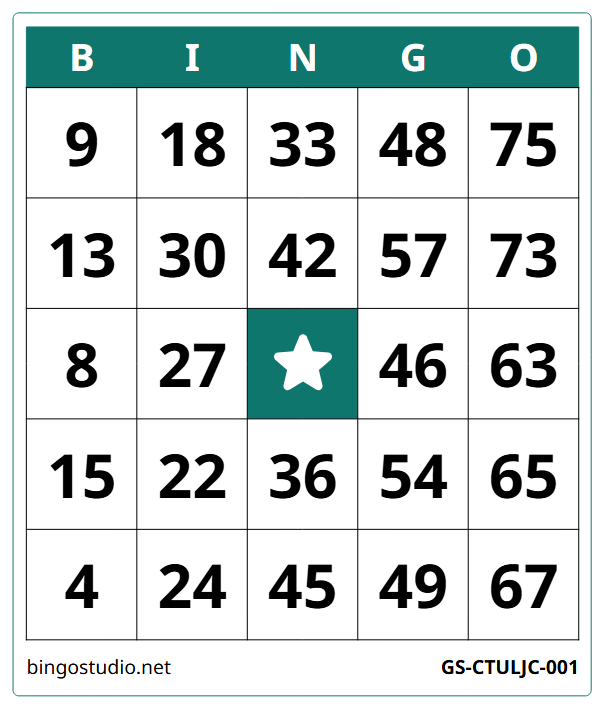
Create a PDF for each round and print it in advance. The symbol shows which card belongs to which round.
- 3
Connect the TV
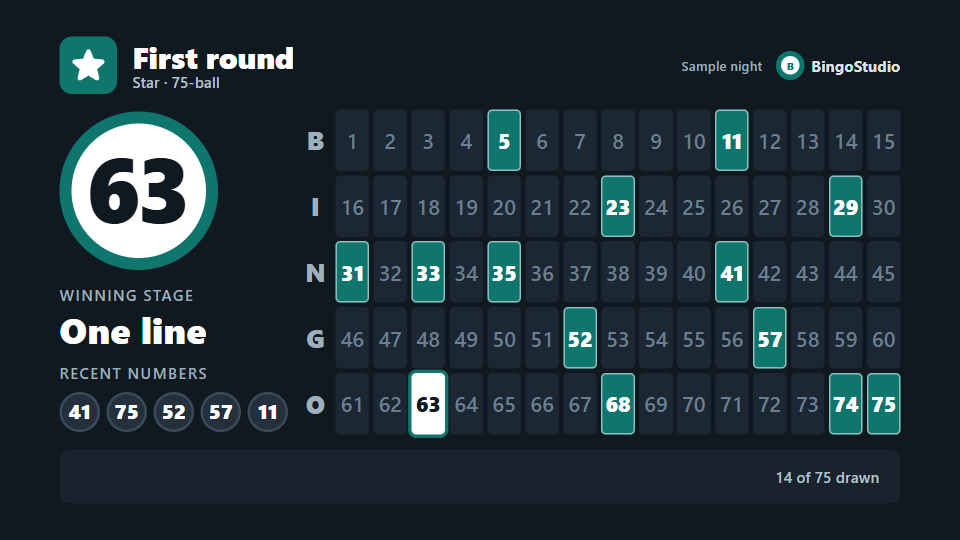
Open the audience display in the browser of a TV, projector or laptop and connect it with a code or QR code.
- 4
Play
Draw numbers manually or automatically, check bingo calls and move through the winning stages.
Features
Everything for the evening on site. Anything not yet available is marked.
- Available: 75- and 90-ball bingoBingo type and winning sequence for each round.
- Available: Manual and automatic drawingPause auto-draw at any time and keep drawing manually.
- Available: Bingo check and undoDrawing is locked during a check. The last number can be taken back.
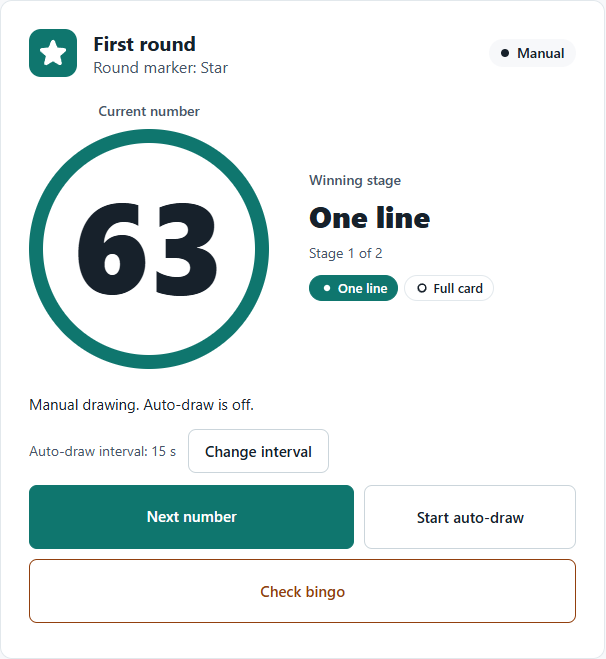
- Available: Winning stagesThe current stage is shown in the game controls and on the audience display.
- Available: Cards as PDFCard sets per round with serial numbers. Every download returns the same file.
- Available: Round symbolsThe symbol on the card shows which round it belongs to.
- Available: Audience display in the browserConnect with a code or QR code. Displays only show the game state.
- Available: Card generator without sign-upUp to 100 cards as PDF, available for at most 24 hours.
- Voice announcementsPlannedNot available yet.
- App for LG TVsPlannedIn preparation, not yet published in the store.
What it looks like
Displays
Displays only show the game state. Control stays in the game controls.
- AvailableBrowser on a TV, projector or laptopConnect with a code or QR code.
- PlannedApp for LG TVsIn preparation. Not yet published in the store.
Just need cards?
The card generator works without sign-up and without an email address. Saved games and the game controls require an account.
75- or 90-ball · 1–100 cards · A4, A5 or Letter
Frequently asked questions
Do guests need an account or a smartphone?
No. Guests play with cards printed in advance. Only the person running the evening needs an account.
Do the cards have to be printed in advance?
Yes. BingoStudio creates PDFs that you print before the evening. The round symbol shows which card is used in which round.
Does the evening need an internet connection?
Yes. The game controls and the audience display are connected to the server. If the connection drops, the last confirmed state stays visible and new actions are locked.
Which displays work?
The audience display runs in a web browser on a TV, projector or laptop. So far it has only been checked with automated tests in Chromium. Checks with other browsers and real TVs are still pending. An app for LG TVs is planned but not published.
Can I create cards without an account?
Yes, with the card generator: up to 100 cards per request. The PDF is available in this browser for at most 24 hours, so please save it locally.
Can you play online with BingoStudio?
No. BingoStudio supports bingo nights on site. There are no digital player cards, no stakes and no payments.
How much does BingoStudio cost?
BingoStudio is currently free and ad-free. This describes the current state, not a permanent promise.